How to Structure a Jira backlog – Epics, Stories and Priorities that Actually work

Estimated reading time: 8 minutes
Key Takeaways
- To effectively structure a Jira backlog, start with a clear hierarchy of epics, stories, and sub-tasks.
- Use the ‘As a… I need… so that…’ format for writing actionable user stories, ensuring clarity and purpose.
- Rank backlog items ruthlessly, detailing only the top priorities to maintain focus and avoid waste.
- Utilise labels and components sparingly to prevent clutter, and agree on a consistent taxonomy.
- Regularly align the backlog with the product roadmap to maintain traceability and trustworthiness.
Back in 2021 we wrote a piece explaining what a product backlog is and how it works, and it’s still one of the most popular articles people read when they land on our blog. It answers the what. This article answers the question that always comes next: how do I actually structure this thing in Jira so it stays useful?
A quick side note: there are plenty of alternatives to Jira these days, such as Linear and ClickUp. They broadly do the same job, and with AI now integrated into these tools, managing a backlog is far less onerous than it once was… provided they’re configured properly.
A backlog is effective only if it is structured well, a well-formed backlog is the single source of truth for a project, the authoritative statement of what you’re building and in what order. A badly structured one is a graveyard of half-remembered ideas that everyone is slightly afraid to open. The difference between the two isn’t the tool. Jira will happily let you build either. The difference is a handful of decisions about how you organise the work.
So this is the practical version: how we structure a Jira backlog so it stays clear, prioritised and genuinely usable, even eighteen months into a project.
Start with the hierarchy: epics, stories, tasks
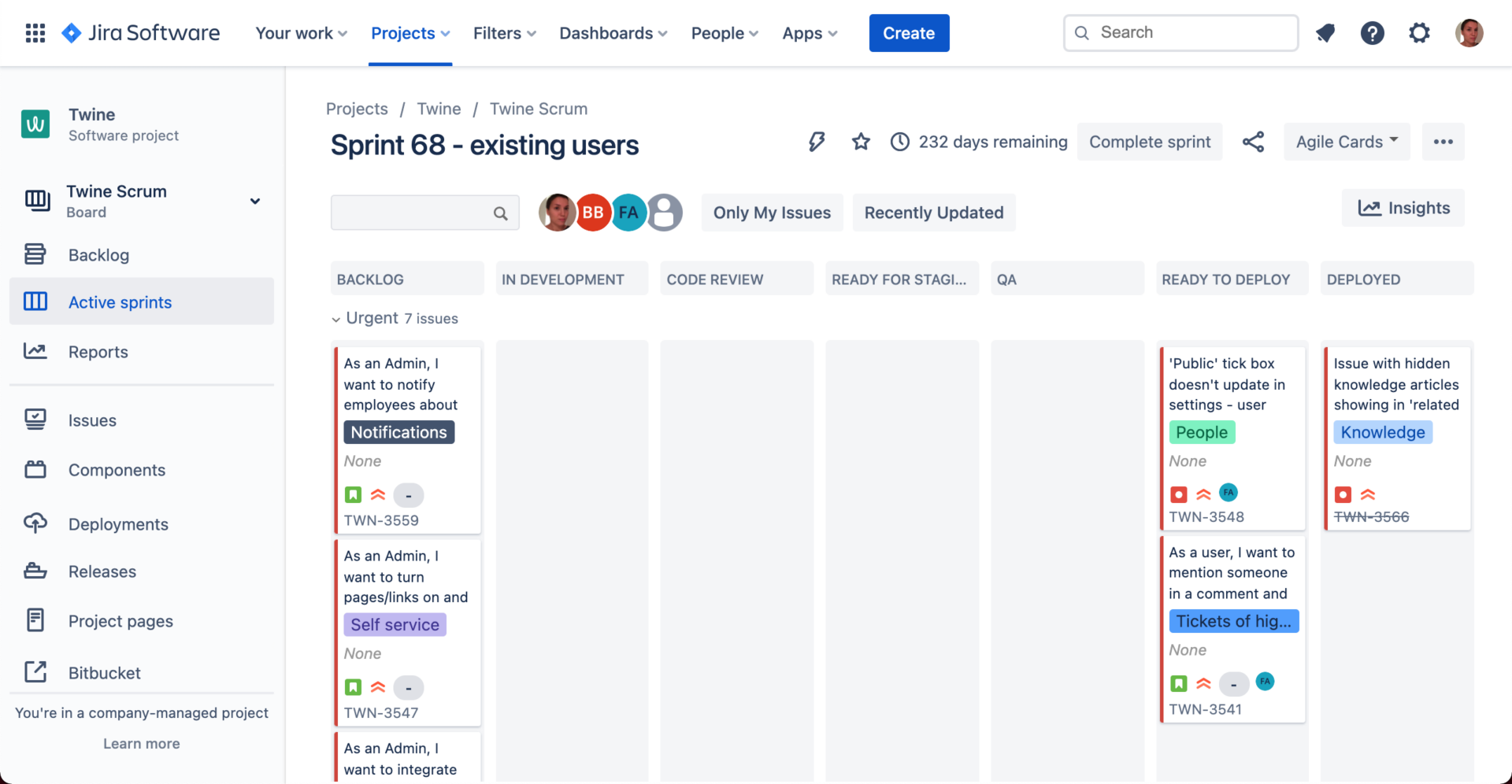
Jira gives you a hierarchy, and using it properly is the foundation of everything else. If you take one thing from this article, take this: don’t dump everything in as a flat list of tickets. Structure it.
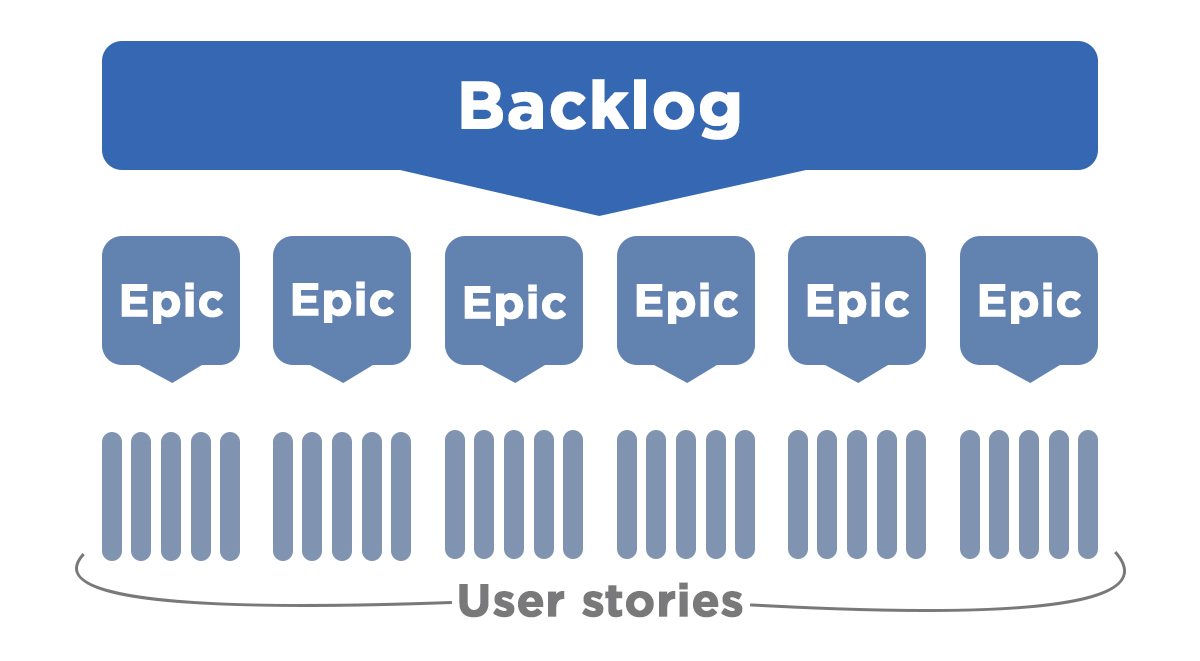
Epics sit at the top, strictly speaking an epic is a big, coherent chunk of functionality, a theme of work that will take many stories to deliver. On a typical product, one epic might cover the e-commerce checkout, another user account management, another reporting and analytics. Epics are how you and your stakeholders talk about the product at a sensible altitude. They’re also how you’ll later group work for a roadmap, so it’s worth getting them right. Aim for a handful to a couple of dozen, not hundreds. If you’ve got fifty epics, some of them are really stories.
Stories live inside epics, typically a user story describes a piece of functionality from the point of view of the person who needs it: As a user, I need to save my basket so that I can come back and finish my order later. Each story should be small enough to deliver inside a single sprint and phrased around a real user need, not a technical implementation. A good story is a conversation waiting to happen, not a spec.
Sub-tasks sit beneath stories, and this is where the development team breaks a story down into the specific technical jobs required to deliver it. Crucially, clients rarely need to see this level. It’s for the team. Exposing stakeholders to sub-tasks usually just creates noise and anxiety, so I’d keep that layer for the people doing the building.
The instinct to resist is over-engineering the hierarchy. Jira lets you add layers above epics and all sorts of custom issue types, and it’s tempting to model your entire org chart in there. Don’t. The structure should be the simplest thing that lets everyone find what they need.
Write user stories people can actually act on
Structure isn’t just the tree, moreover it’s the quality of each item. A backlog full of one-line tickets called “checkout bug” or “sort out login” is technically organised and practically useless.
The habit worth building is the “As a… I need… so that…” format, because that little “so that” forces you to state why the thing matters, and the why is what lets someone prioritise it later. Add acceptance criteria, a short, plain-English list of what “done” looks like, and you’ve turned a vague wish into something a developer can pick up and a tester can verify.
You don’t need this level of detail on every item immediately, though, and trying to achieve it is a classic way to waste a fortnight. Which brings us to the single most important idea in structuring a backlog.
Rank ruthlessly, and detail only the top
A Jira backlog is essentially a ranked list, where the order is the product decisions in terms of priority. You can of course use the drag-to-rank ordering so that the single most important thing sits at the top and everything flows down from there, and treat that order as meaningful, the team should be able to work top-down and trust that they’re always pulling the next most valuable thing.
The point which people consistently get wrong, is that detail should be concentrated at the top of the backlog, not spread evenly across it. The items you’ll build next sprint need to be fully formed: clear stories, acceptance criteria, estimates. Items three months out can be a single line, a placeholder for a conversation you’ll have when they get close. This is what the agile world calls a DEEP backlog: Detailed appropriately, Estimated, Emergent and Prioritised. Polishing a story you won’t touch for six months is waste, because by the time you reach it, it’ll have changed anyway.
To get to that initial ranking, we run a MoSCoW workshop, sorting requirements into Must, Should, Could and Won’t. That’s what defines the Minimal Viable Product or commanly known as MVP and what pushes the rest down the list into later phases. Jira’s job is simply to hold that decision in a form the whole team can see.

Use labels and components, sparingly
Beyond the hierarchy, Jira gives you labels, components and custom fields to slice the backlog in other ways. These are genuinely useful, a label lets you filter to everything touching, say, GDPR or a particular integration, cutting across your epic structure. Components can map to areas of the system or to teams.
The trap is proliferation in that a backlog with two hundred labels, most used once, is no more searchable than one with none. Agree a small, deliberate taxonomy up front, write it down, and appoint someone to keep it tidy. A handful of well-chosen labels beats a sprawling free-for-all every time.
Keep it aligned with the roadmap
Finally, structure isn’t a one-off, moreover the reason we bother with clean epics is so the backlog stays connected to the product roadmap. Your roadmap says these are the big bets for the next few quarters; your epics are those bets; your stories are the detail beneath them. When those three things stay in step, anyone can trace a single ticket all the way up to a strategic goal, and that traceability is what makes a backlog trustworthy.
They drift apart more easily than you might think, within a project backlogs get detailed, priorities shift, and before long the list quietly stops reflecting the plan. A regular refinement session, reviewing the top of the backlog, re-ranking, breaking down what’s coming up and pruning what’s gone cold, is what keeps structure from decaying back into a heap. It’s the maintenance that makes all the structure worthwhile.
Get the hierarchy right, rank honestly, detail the top and keep it aligned, and your Jira backlog becomes exactly what it should be: a single source of truth your whole team can trust. Get it wrong and no amount of tooling will save you.
If your product backlog has drifted and you’d like help rebuilding it into something structured and sprint-ready, that’s very much our thing.
FAQs
Should every Jira ticket be a user story?
No. User stories are useful for describing user-facing functionality, but not every piece of work needs to be written this way. Bugs, technical debt, infrastructure work and other technical tasks can have their own issue types. The important thing is that the purpose and priority of the work are clear.
How often should you clean up a Jira backlog?
Backlog refinement should be a regular part of the development process rather than an occasional clean-up exercise. Reviewing the top of the backlog every sprint or two gives the team an opportunity to clarify upcoming work, re-prioritise items and remove things that are no longer relevant. There’s little value in meticulously maintaining items that are unlikely to be worked on for months.
What should you do with old or low-priority Jira tickets?
Don’t be afraid to delete, archive or close tickets that are no longer relevant. A backlog isn’t a museum of every idea the team has ever had. If an item hasn’t been prioritised for a long time and there’s no clear reason to keep it, removing it can make the backlog easier to understand and maintain. If the idea becomes important again, it can always be recreated.
For further reading, here’s a list of previous backlog focused opinions and trends we wrote about:
• Adding a Feature Isn’t the Same as Improving Your Product
• Why Product Teams Get Stuck (And How to Break Through)
• User story mapping changed how we deliver projects